2026 Live
CaproQR.
A fast, private Android toolkit for scanning, creating, and keeping QR codes and barcodes entirely on device.
Role
End-to-end product
Platforms
Android
Scope
Product strategy, Product design, Android development, Privacy design, Release engineering
CaproQR combines scanning, QR creation, safe content handling, and searchable history in one focused Android utility. Limbatus shaped the product, designed the interface, built the application, and launched it on Google Play from end to end.
The challenge
QR utilities often ask users to trade convenience for noise. Many are crowded with advertising, depend on a network connection, collect usage data, or open scanned destinations before the user has a chance to inspect them.
CaproQR needed to make a common task feel immediate without making it careless. The product had to recognize a broad range of codes, explain what each code contains, and keep useful history while preserving a simple rule: user content stays on the device.
Fast, private, practical
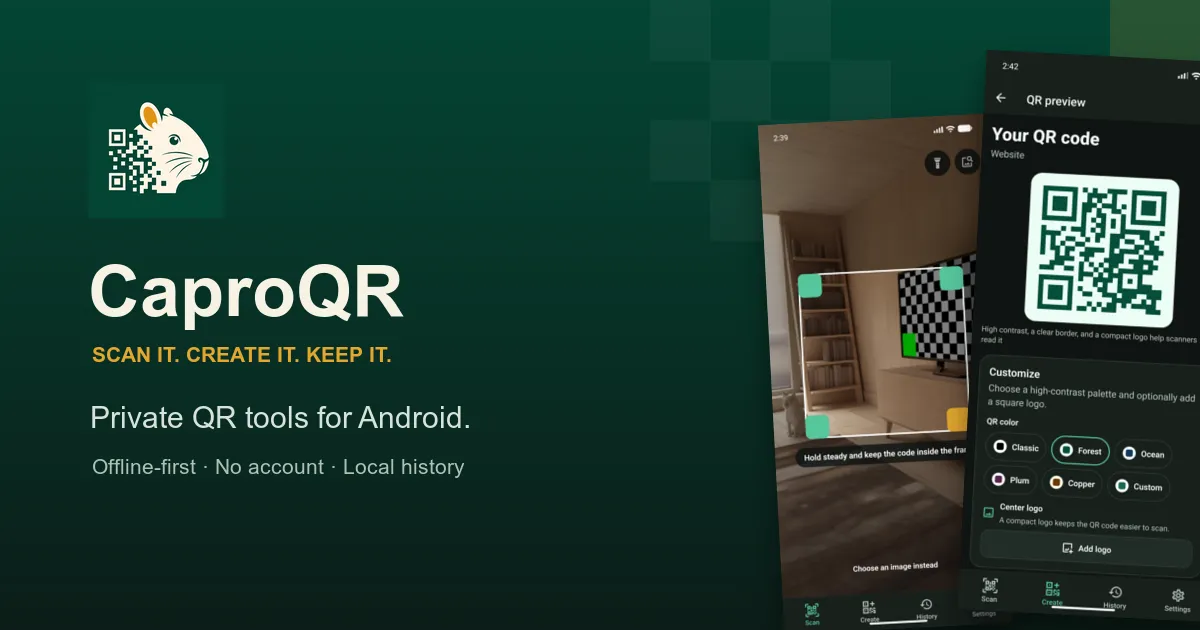
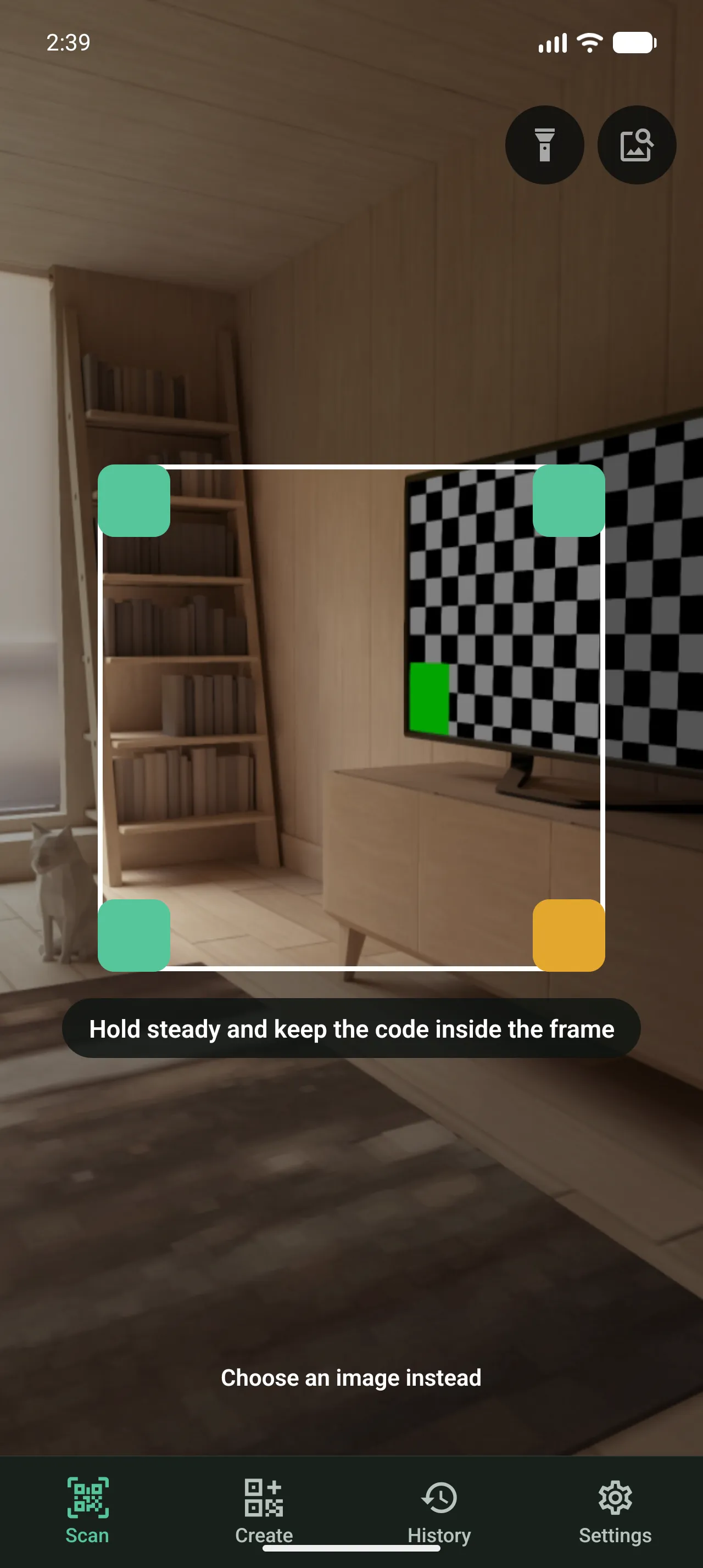
The experience is organized around three direct actions: scan it, create it, keep it. Live camera scanning and image import handle everyday QR and barcode formats. Parsed results expose the destination and relevant actions without triggering links, calls, messages, or apps automatically.
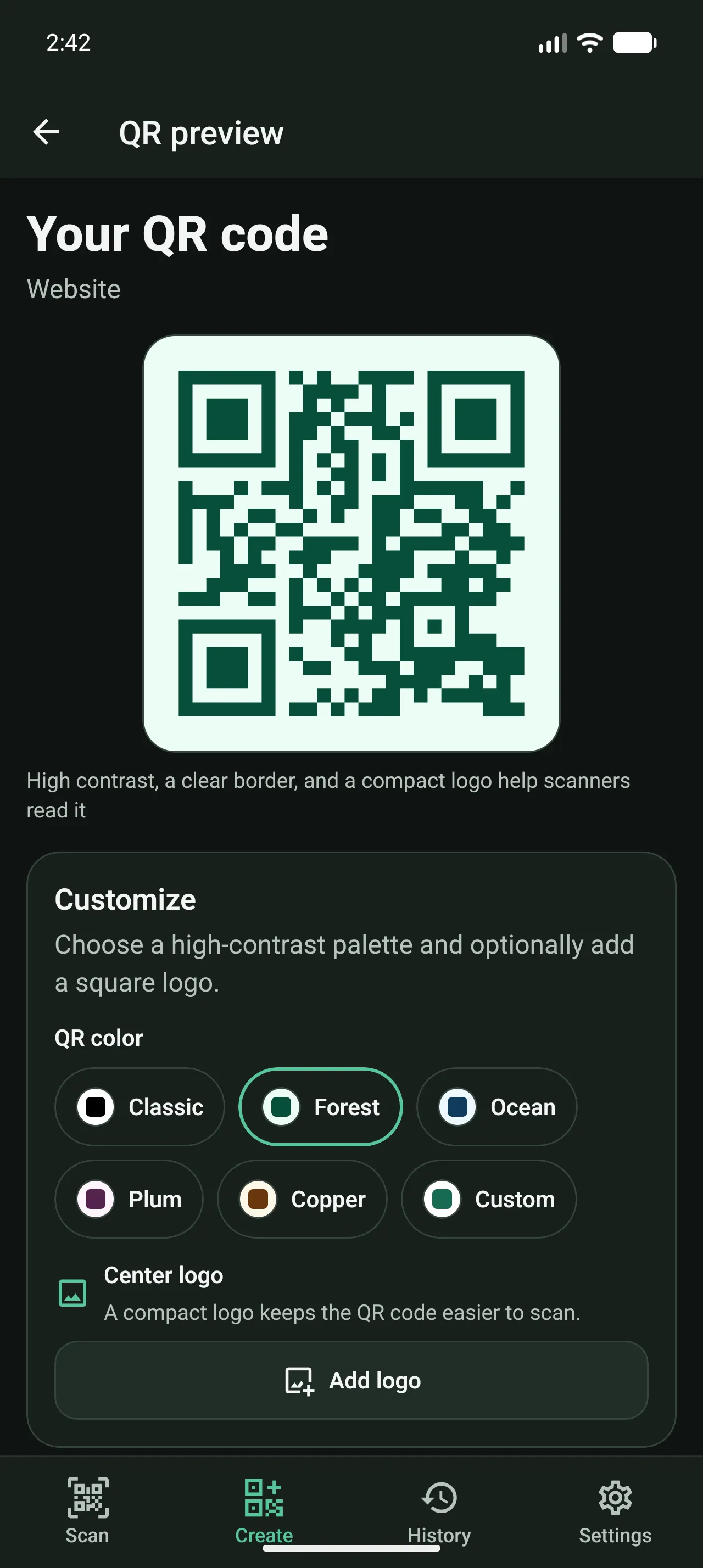
Creation follows the same practical approach. Users choose the content type, complete a validated form, customize the result, and export a high-resolution PNG. There is no account setup, cloud workspace, or dependency on a CaproQR service.
What we built
- Live and image-based recognition for 12 QR and barcode formats
- Ten QR creation types, including websites, Wi-Fi, contacts, events, locations, and WhatsApp
- Destination previews and warnings for suspicious URL characteristics
- Five high-contrast palettes, custom colors, and optional center logos
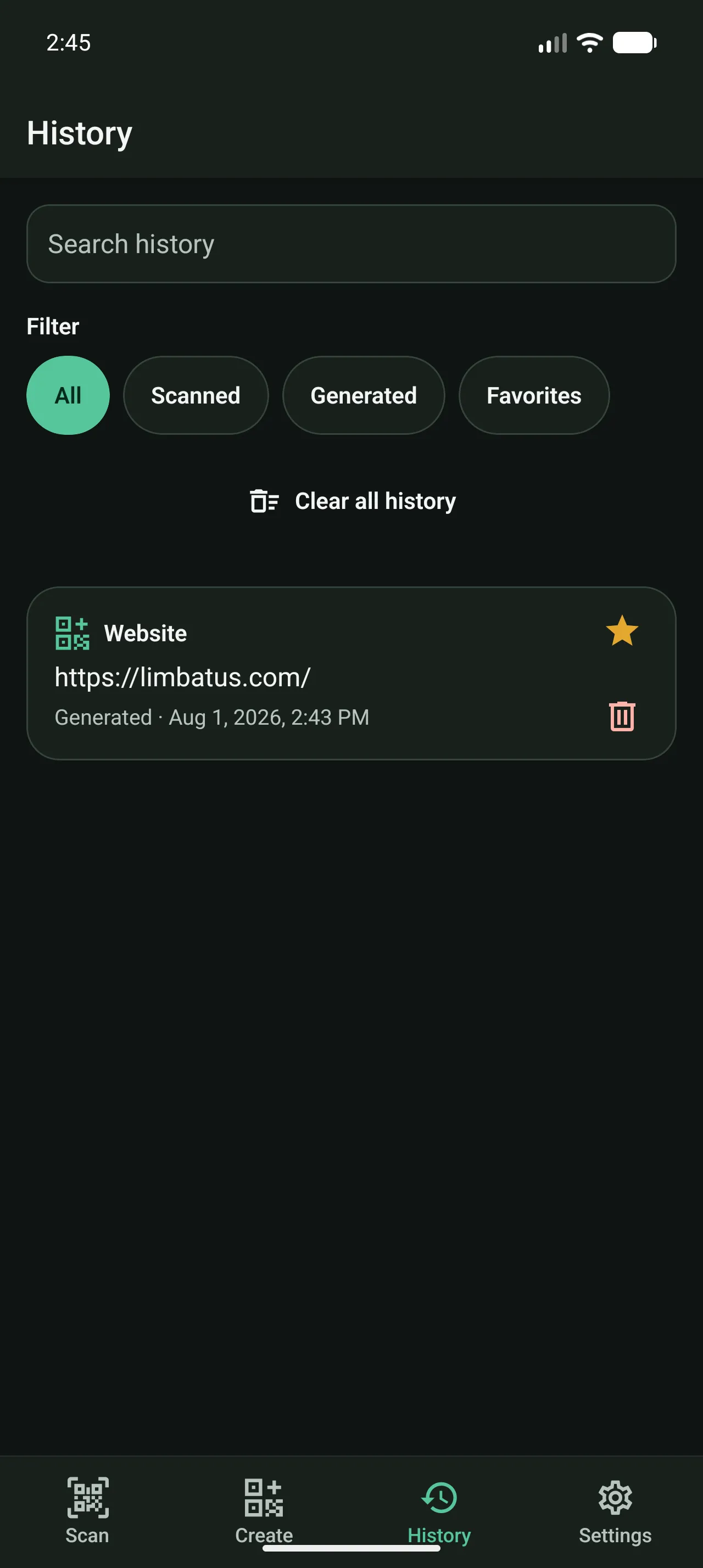
- Searchable local history with filters, favorites, pagination, and deletion controls
- Sharing, clipboard actions, and 1024-pixel PNG export through Android system workflows
- System, light, and dark themes with configurable scan feedback and automatic saving
Wi-Fi passwords remain masked until explicitly revealed, and actionable content requires confirmation. The scanner never treats recognition as permission to continue.
Engineering for an offline boundary
CaproQR is built with Expo and React Native for Android. Expo Camera handles live and image-based recognition, while Expo Router structures the scanner, generator, history, and settings flows. React Hook Form and Zod provide typed validation across the ten creation formats.
SQLite stores history and favorites locally. Zustand manages preferences and transient workflow state without introducing a remote data layer. Generated codes use SVG rendering, adapt error correction when a logo is added, and export through Android’s native sharing and folder pickers.
There is no CaproQR backend, account system, analytics SDK, advertising network, payment layer, or cloud synchronization. Android cloud backup is disabled for application data, keeping the architecture aligned with the product promise.
The outcome
CaproQR launched on Google Play in 2026. Version one brings scanning, creation, safety, customization, and local organization into a single coherent tool.
The result is deliberately straightforward: a capable QR utility that does its work locally and leaves the next action to the user.
The Product
Private by default.
Build what comes next